

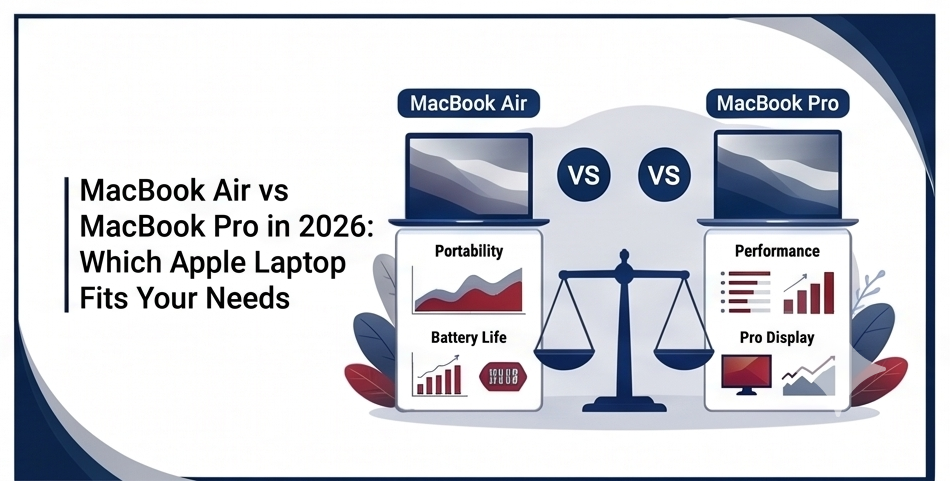

Choosing between the MacBook Air and MacBook Pro feels overwhelming with Apple’s powerful M5-series chips powering both lines in 2026. The Air delivers incredible portability and everyday performance at a lower price, while the Pro pushes boundaries for demanding creative and professional workloads.
This detailed comparison breaks down every key area using the latest 2026 models — including the M5 MacBook Air (13-inch and 15-inch) and M5 / M5 Pro / M5 Max MacBook Pro (14-inch and 16-inch) — so you can decide with confidence.
Design, Build Quality, and Portability Differences
The MacBook Air earns its name with an ultra-thin, fanless aluminum chassis that measures just 0.44 inches thick and weighs as little as 2.7 pounds (13-inch model). It slips easily into any bag and feels effortless to carry all day.
The MacBook Pro is noticeably thicker and heavier — the 14-inch starts around 3.4 pounds, while the 16-inch reaches 4.7 pounds. It uses a more robust unibody design with additional structural support for its active cooling system and extra ports. Both lines share premium finishes in colors like Sky Blue, Midnight, Starlight, and Silver, but the Pro feels more substantial in hand.
Display Technology and Visual Experience
Screen quality marks one of the clearest divides.
MacBook Air models feature sharp Liquid Retina displays: 13.6-inch (2560×1664) or 15.3-inch (2880×1864) with 500 nits brightness, P3 wide color, and True Tone. They look vibrant for web browsing, streaming, and light photo editing.
MacBook Pro upgrades to stunning Liquid Retina XDR panels with mini-LED backlighting. The 14.2-inch and 16.2-inch screens reach 1000 nits sustained brightness (up to 1600 nits for HDR content), support ProMotion 120Hz refresh rates for buttery-smooth scrolling, and deliver deeper blacks with exceptional contrast. Video editors, photographers, and designers notice the difference immediately during color-critical work.
Performance and Chip Capabilities (M5 Series Breakdown)
Both families now use Apple’s latest M5 architecture, but configuration levels differ significantly.
The MacBook Air uses the base M5 chip (10-core CPU with 4 performance + 6 efficiency cores, up to 10-core GPU, 16-core Neural Engine). It handles everyday tasks, web browsing, Microsoft Office, light video editing, coding, and AI features exceptionally well without any fan noise. Unified memory starts at 16GB and goes up to 32GB, with storage beginning at 512GB.
The MacBook Pro offers M5, M5 Pro, and M5 Max variants with higher core counts (up to 18+ CPU cores and 20+ GPU cores on higher models), greater memory bandwidth, and up to 128GB unified memory. The active cooling system (fans) allows sustained high performance during long renders, 3D modeling, software development compiles, or machine learning workloads without thermal throttling. For most users, the Air feels snappy; heavy professionals benefit from the Pro’s extra headroom.
Battery Life and Thermal Management
Apple rates the MacBook Air for up to 18 hours of video playback thanks to its efficient fanless design and power-optimized M5 chip. Real-world mixed use often delivers 12–15 hours.
The MacBook Pro frequently reaches up to 24 hours on the same tests, thanks to larger batteries and smarter power management, even under heavier loads. The Pro’s fans keep components cooler during intensive sessions, while the Air stays completely silent but may throttle slightly sooner under prolonged maximum load.
Ports, Connectivity, and Expandability
Connectivity highlights another practical gap.
MacBook Air provides two Thunderbolt 4 / USB 4 ports, MagSafe charging, and a 3.5mm headphone jack. It supports up to two external displays (with the lid closed on newer M5 models).
MacBook Pro adds a third (or more) Thunderbolt port, a full-size HDMI port, an SDXC card slot, and MagSafe. This setup saves time and dongles for photographers, videographers, and anyone who frequently connects monitors, cameras, or external drives. Both support Wi-Fi 7 and Bluetooth 6 in 2026.
Audio, Camera, and Input Devices
Both lines deliver excellent audio with multi-speaker systems and Spatial Audio support. The Pro edges ahead with a six-speaker setup on higher models for richer sound during media consumption or calls.
Webcams are identical: 12MP Center Stage cameras with Desk View on both. Keyboards feature comfortable backlit Magic Keyboard with Touch ID. Trackpads remain class-leading on every model.
Pricing and Value Considerations in 2026
Starting prices reflect the performance tiers:
- MacBook Air 13-inch M5: from $1,099 (often $999 with education discount)
- MacBook Air 15-inch M5: from $1,299
- MacBook Pro 14-inch M5: from $1,699
- Higher Pro configurations with M5 Pro/Max and 16-inch models climb quickly toward $2,500+.
The Air offers outstanding value for students, office workers, casual creators, and travelers. The Pro justifies its premium for users who need sustained power, better screens, or professional ports.
Who Should Choose the MacBook Air?
Pick the MacBook Air if you prioritize:
- Maximum portability and silent operation
- Everyday productivity, web, streaming, light creative work
- Best battery life per pound
- Lower budget without sacrificing modern performance
It remains the sweet spot for the majority of users in 2026.
Who Should Choose the MacBook Pro?
Choose the MacBook Pro when you need:
- Professional-grade sustained performance (video editing, 3D, coding, data science)
- Superior display for color accuracy and smoothness
- More ports and expandability
- Future-proofing with higher RAM and storage options
Conclusion
The MacBook Air and MacBook Pro serve different purposes beautifully in 2026. The Air wins for most people with its unbeatable combination of thinness, lightness, silence, long battery life, and capable M5 performance at a more accessible price. The Pro shines for power users who demand the brightest screen, extra ports, active cooling, and maximum configuration headroom.
Assess your actual workload honestly — if you rarely push the limits, save money with the Air. If your tasks involve heavy rendering or you value the premium display and connectivity, invest in the Pro. Both deliver the premium macOS experience and excellent longevity that Apple is known for.
Whichever you pick, you’ll get a beautifully engineered laptop that will serve you well for years.
Common Questions About MacBook Air vs Pro
Can the MacBook Air handle video editing in 2026?
Yes — the M5 Air manages 4K editing in Final Cut Pro comfortably for most projects, though the Pro handles complex timelines and effects with more sustained speed.
Does the MacBook Pro run hotter or louder than the Air?
The Pro has fans, so it can produce some noise under heavy load, but the system stays cooler overall. The Air stays silent but may warm up and throttle slightly during extended intensive tasks.
How much RAM do I really need on either model?
16GB handles most everyday and light creative work. Go for 24GB or 32GB+ if you multitask heavily, run virtual machines, or work with large files.
Is the display difference noticeable in daily use?
For browsing and documents, the Air is plenty bright and sharp. The Pro’s advantages become clear with HDR video, photo retouching, or prolonged design work.
Can both models support multiple external monitors?
The latest M5 Air supports up to two external displays. The Pro supports more, depending on the exact chip (M5 Pro/Max configurations offer greater flexibility).
Which one has better future-proofing?
The Pro with higher configurable RAM, storage, and more powerful chips offers better longevity for demanding professional workflows.
