

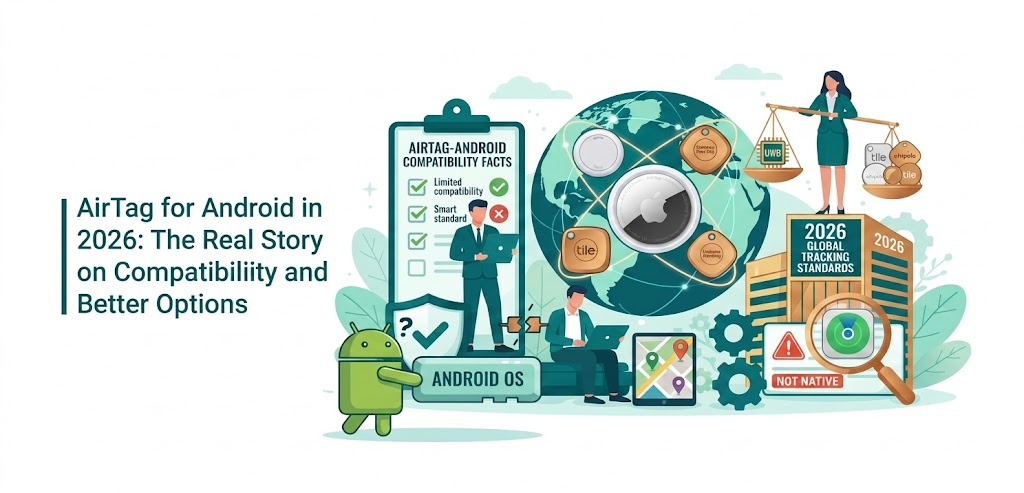

Apple’s AirTag remains one of the most popular item trackers, but Android users often wonder if it’s worth buying. The short answer: AirTag is not designed for Android. You cannot set it up, pair it, or track your own items directly from an Android phone. However, Android devices offer limited detection capabilities for privacy and lost-item scenarios, plus a growing ecosystem of native alternatives that often outperform AirTag for Android users.
In 2026, Google’s Find Hub network has matured significantly, giving Android owners strong, cross-platform trackers that work seamlessly without needing an iPhone. This guide explains exactly what AirTag can (and cannot) do on Android, how to use the official detection tools, and which alternatives deliver the best real-world performance for keys, luggage, pets, and more.
Why AirTag Is Not Fully Compatible with Android Devices
AirTags rely entirely on Apple’s Find My network, which is built around iOS and the massive fleet of Apple devices. Setup requires an iPhone, iPad, or iPod touch running iOS 14.5 or later. Once paired, location updates come from nearby Apple devices — not Android phones.
On Android you get:
- NFC scanning for lost AirTags in Lost Mode (shows owner contact info)
- Automatic alerts if an unknown AirTag travels with you
- Manual scanning via Apple’s free Tracker Detect app
What you cannot do:
- Pair or register a new AirTag
- View real-time location tracking
- Use Precision Finding (UWB direction and distance)
- Receive separation alerts or play sound from your phone reliably
These limitations stem from Apple’s closed ecosystem. Even the 2026 AirTag 2 refresh (with louder speaker and improved range) doesn’t change Android compatibility.
Limited Ways Android Users Can Interact with AirTags
While full tracking isn’t possible, Android still offers useful privacy and recovery features.
Scan a Lost AirTag with NFC
Hold the white side of any AirTag against your Android phone’s NFC reader. If it’s in Lost Mode, you’ll see a web page with the owner’s phone number or message. This works on almost any recent Android device.
Use Apple’s Official Tracker Detect App
Download “Tracker Detect” from the Google Play Store (made by Apple). It scans for nearby AirTags or compatible trackers that have been separated from their owner for over 15 minutes. The app alerts you to potential unwanted tracking and lets you play a sound on the device if found.
Built-in Android Unknown Tracker Alerts
Since Android 13 (and improved in later versions), your phone automatically notifies you if an unknown Bluetooth tracker is moving with you. No app needed — it’s part of the operating system for privacy protection.
These tools are excellent for safety but won’t help you track your own belongings.
Workarounds for Using AirTags on Android (Not Recommended for Most Users)
Some users set up an AirTag on a family member’s iPhone, then access location via iCloud.com in a browser or third-party apps. Others share the tag through an Apple ID. These methods are clunky, require ongoing Apple device access, and lack real-time updates or notifications on Android. Most experts advise skipping them entirely and choosing a native Android tracker instead.
The Best AirTag Alternatives for Android in 2026
Google’s Find Hub network now powers dozens of excellent trackers, many with dual-network support (Apple Find My + Google Find Hub). Here are the top performers based on range, battery life, features, and real-user feedback:
Moto Tag (Best Overall for Most Android Users)
- Works natively with Google Find Hub
- UWB support for Precision Finding on compatible phones
- Long Bluetooth range and loud speaker
- Button to ring your lost phone
- Compact design with strong attachment options
Samsung Galaxy SmartTag2 (Best for Samsung Galaxy Owners)
- Excellent UWB precision on Galaxy phones
- Long battery life with power-saving modes
- Strong integration with SmartThings Find
- Water-resistant and durable
Chipolo LOOP or CARD (Best Dual-Network Option)
- Works with both Google Find Hub and Apple Find My
- Rechargeable battery (no more coin-cell replacements)
- Colorful, slim designs perfect for keys or wallets
- Loud alarm and reliable crowd-sourced location updates
Pebblebee Clip 5 (Best Rechargeable & Loud)
- 130dB siren (much louder than AirTag)
- USB-C charging
- Dual-network compatibility
- Built-in hook for easy attachment
Tile Pro or Mate (Reliable Cross-Platform Classic)
- Works on Android and iOS
- Replaceable battery
- Good range but slightly behind newer Find Hub trackers
These alternatives often cost the same or less than an AirTag while delivering better Android-native features and no ecosystem lock-in.
How to Choose the Right Tracker for Your Android Phone
Consider these factors:
- Your Phone Brand → Samsung users get the best experience with SmartTag2; everyone else should start with Moto Tag or Chipolo.
- Battery Type → Rechargeable (Chipolo, Pebblebee) vs replaceable coin-cell.
- Precision Finding → Only available on UWB-supported trackers and phones.
- Network Size → Google Find Hub has improved dramatically in 2026 but still trails Apple’s network in some rural areas.
- Attachment Needs → Keychains, wallets, luggage, pet collars, or bikes each have optimized models.
Step-by-Step Setup for the Best Android Trackers
For most Find Hub trackers (Moto Tag, Chipolo, Pebblebee):
- Download the Google Find My Device app (or brand-specific app).
- Open the app and tap “Add tracker” or the + icon.
- Put the tracker in pairing mode (usually by pressing a button or removing a tab).
- Follow on-screen prompts to name it and set up alerts.
- Attach it to your item and test the “Play sound” and location features.
Setup takes under two minutes and requires no extra hardware.
Real-World Performance: What Users Report in 2026
Android users consistently note:
- Faster location updates in urban areas thanks to denser crowds of Android phones.
- Reliable separation alerts when leaving items behind.
- Rechargeable models eliminate the hassle of annual battery swaps.
- Some trackers (like Pebblebee) are noticeably louder than AirTag 2.
The main complaint remains occasional gaps in Google’s Find Hub network in very remote locations — but this has improved steadily since 2025.
Privacy and Security Features Built into Android Trackers
All modern trackers include anti-stalking protections similar to Apple’s:
- Automatic alerts for unknown devices traveling with you.
- Temporary IDs that change frequently.
- Option to disable tracking sounds or notifications.
These features make today’s trackers far safer than early models.
Cost Comparison: AirTag vs Android Alternatives
- Apple AirTag (2nd gen): ~$29–$35 each
- Moto Tag: ~$25–$30
- Chipolo LOOP: ~$39 (rechargeable)
- Pebblebee Clip 5: ~$35
- Samsung SmartTag2: ~$20–$30 (often on sale)
Many Android options come in multi-packs and offer better value for mixed households.
Future Outlook: Will True “AirTag for Android” Ever Arrive?
Google continues expanding Find Hub with airline integration, more UWB support, and better app features. While a full Apple-style AirTag experience on Android is unlikely due to ecosystem differences, the gap has narrowed significantly in 2026. Dual-network trackers already give users the best of both worlds.
Making the Smart Choice for Item Tracking on Android
If you’re an Android user, skip the frustration of partial AirTag support. The 2026 lineup of Google Find Hub trackers delivers reliable, feature-rich performance tailored to your phone — often with extras like rechargeable batteries and louder alerts that AirTag still lacks.
Whether you need a simple key finder or a rugged luggage tracker, options like the Moto Tag, Chipolo, and Pebblebee provide everything AirTag promises — without requiring an iPhone. Test one today and enjoy true peace of mind wherever your day takes you.
FAQ
Can I pair an AirTag directly with my Android phone?
No. Setup requires an Apple device.
Does Android alert me about unknown AirTags?
Yes — automatically, plus you can use Tracker Detect for manual scans.
Which tracker is closest to AirTag on Android?
Moto Tag or Chipolo models offer the most similar experience with Google Find Hub.
Do AirTags work for scanning lost items on Android?
Yes, via NFC tap for Lost Mode information.
Are there any reliable workarounds to track AirTags on Android?
Limited and not recommended — native Android trackers are far better.
How accurate is Google Find Hub compared to Apple’s network?
Improved in 2026, especially in cities, but Apple’s network still has an edge in sparse areas.
Do the best alternatives work with both Android and iPhone?
Many (Chipolo, Pebblebee) support dual networks for mixed households.
