

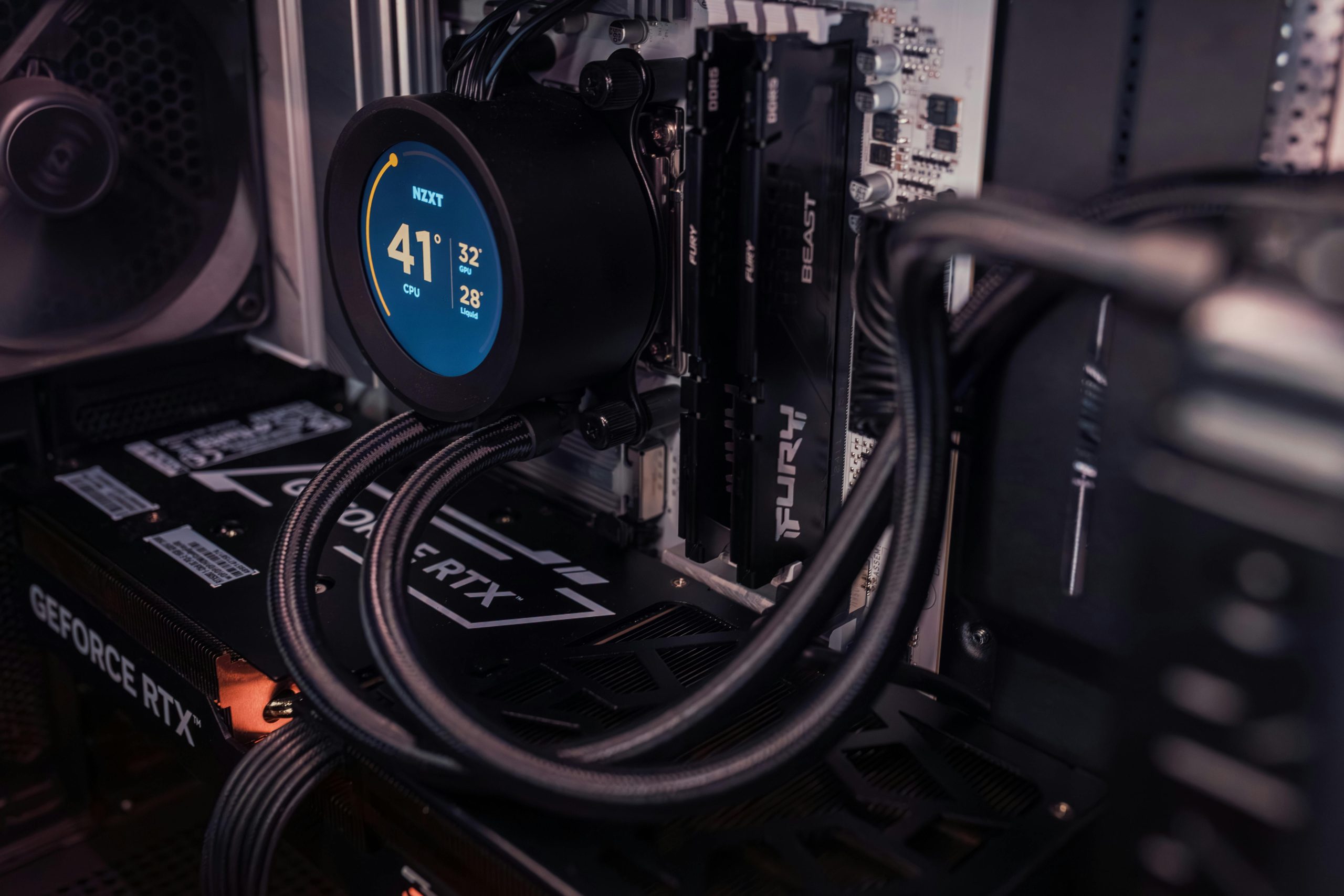

CPU temperature is one of the most important things to monitor if you want your PC to stay fast, quiet, and reliable for years. In 2026, flagship processors such as the AMD Ryzen 9 9950X and Intel Core Ultra 9 285K are delivering significantly higher performance and built-in AI capabilities. This makes it essential to understand what actually counts as “normal” operation (whether temperature, power draw, or overall behavior) for these powerful chips. Monitoring your CPU temperature is key to preventing thermal throttling, system crashes, and long-term hardware damage.
This guide gives you clear, up-to-date numbers for idle, gaming, video editing, and stress-test scenarios across the latest AMD and Intel CPUs. You’ll also learn exactly how to check your temperatures, when to start worrying, and simple steps to keep your CPU running cool even under heavy load.
Why CPU Temperature Matters More Than Ever in 2026
Modern CPUs are incredibly efficient, but they still generate significant heat when working hard. If temperatures climb too high, the processor automatically reduces its speed (thermal throttling) to protect itself. This means lower frame rates in games, slower render times in editing software, and shorter overall lifespan of your CPU.
In 2026, the latest chips run hotter at peak loads than older generations because they pack more transistors and AI accelerators into the same space. Knowing the safe normal CPU temp range lets you spot problems early and keep your system performing at its best.
Safe Normal CPU Temp Ranges in 2026 – By Usage Scenario
Here are the realistic temperatures you should expect on current-generation processors under proper cooling:
- Idle / Desktop Use: 30–45°C (most users see 35–40°C with a good cooler)
- Light Browsing & Office Work: 40–55°C
- Gaming (Modern Titles at 1440p/4K): 55–75°C (peak spikes up to 80°C are normal and safe)
- Heavy Multi-Core Workloads (video editing, 3D rendering, streaming): 65–85°C
- Stress Test / Benchmark: Up to 90–95°C (this is the designed maximum for most 2026 CPUs)
These numbers apply to both AMD Ryzen 9000-series and Intel Core Ultra 200-series under typical air or AIO liquid cooling.
AMD Ryzen 9000-Series Normal CPU Temps
AMD’s latest Zen 5 chips run cooler than previous generations thanks to improved power efficiency:
- Ryzen 5 9600X / Ryzen 7 9700X: Idle 32–42°C, Gaming 58–72°C, Full Load 75–88°C
- Ryzen 9 9950X / 9950X3D: Idle 35–45°C, Gaming 65–78°C, Full Load 80–92°C
The X3D models with stacked cache tend to run slightly warmer under load but stay well within safe limits with a decent cooler.
Intel Core Ultra 200-Series Normal CPU Temps
Intel’s Arrow Lake processors (Core Ultra 200) are also very efficient in 2026:
- Core Ultra 5 245K / Ultra 7 265K: Idle 35–48°C, Gaming 60–75°C, Full Load 78–90°C
- Core Ultra 9 285K: Idle 38–50°C, Gaming 68–80°C, Full Load 82–95°C
Intel’s official maximum junction temperature (Tjmax) is 105°C for these chips, so anything under 95°C during heavy use is considered perfectly normal.
How to Accurately Check Your CPU Temperature in 2026
The easiest and most reliable tools are:
- HWMonitor or HWInfo (free, shows real-time core-by-core temps)
- Core Temp (lightweight and accurate)
- AMD Ryzen Master (for AMD CPUs)
- Intel Extreme Tuning Utility (for Intel CPUs)
- Built-in Windows tools like Task Manager (Performance tab) for a quick glance
Always check temperatures after the PC has been running for at least 10–15 minutes so the readings stabilize.
Factors That Affect Your Normal CPU Temp
Several things can make your CPU run hotter than average:
- Poor case airflow or dust buildup
- High ambient room temperature (above 28°C / 82°F)
- Inadequate or aging thermal paste
- Overclocking or power-limit removal
- Demanding background apps (browsers with many tabs, antivirus scans, etc.)
A good cooler and clean PC usually keep temperatures 10–15°C lower than stock cooling.
When Should You Start Worrying About CPU Temperatures?
- Idle above 55°C → Check for dust or poor airflow
- Gaming consistently above 85°C → Consider better cooling
- Full-load above 95°C for more than a few minutes → Immediate action needed (throttling or shutdown risk)
- Sudden spikes of 10°C+ with no change in workload → Possible fan or pump failure
You don’t need expensive upgrades to improve temps:
- Reapply high-quality thermal paste (every 2–3 years)
- Clean dust from CPU cooler fins and case fans
- Improve case airflow with additional intake/exhaust fans
- Undervolt your CPU slightly (easy in Ryzen Master or Intel XTU)
- Use a quality air cooler or 240mm+ AIO for high-end CPUs
These small changes often drop temperatures by 8–20°C with almost zero cost.
Conclusion
A normal CPU temp in 2026 is generally 30–45°C at idle and 55–85°C under load for both AMD and Intel processors. Anything below 90–95°C during heavy use is considered safe and normal with proper cooling. The key is knowing your specific CPU’s expected ranges and keeping an eye on it with reliable monitoring software.
High temperatures are rarely a sudden emergency, but staying within safe limits keeps your PC fast, quiet, and long-lasting. Check your temps today using HWInfo or Ryzen Master, clean your cooler if needed, and enjoy the peace of mind that comes with knowing your CPU is running exactly as it should.
Frequently Asked Questions
What is the normal CPU temp while gaming in 2026?
55–75°C is typical and safe for most modern CPUs during gaming. Spikes to 80°C are normal and nothing to worry about.
Is 90°C too hot for a CPU under load?
No — 90°C is within the safe operating range for 2026 CPUs. They are designed to run up to 95–105°C before throttling.
What is a good idle CPU temperature?
30–45°C is considered excellent. Up to 50°C is still normal, especially in warmer rooms.
Does a higher CPU temp reduce lifespan?
Only if it stays consistently above 90–95°C for very long periods. Occasional high temps during heavy use are fine.
How do I check my CPU temperature easily?
Use free tools like HWInfo, Core Temp, or the built-in Ryzen Master / Intel XTU apps for the most accurate readings.
Is 100°C safe for a CPU?
Brief spikes to 100°C are safe thanks to built-in thermal protection, but you should improve cooling if it stays that high for long.
Why does my CPU temp jump suddenly?
Background tasks, dust buildup, or a failing fan/pump are the most common reasons for sudden temperature spikes.
Do AMD and Intel CPUs have different normal temp ranges?
The safe ranges are very similar in 2026. Both brands are designed to run up to 95–105°C safely.
Can undervolting lower my normal CPU temp?
Yes — a small undervolt often drops temperatures by 10–15°C with almost no performance loss.
Should I be worried if my CPU hits 80°C while gaming?
No. 80°C during gaming is completely normal and safe on 2026 processors with stock or aftermarket cooling.
